provider "aws"{
    region = "us-east-1"
    secret_key = "rli/WbIDm0bmy7ekBdlCTnUznYH7M2m+FWEjhej1"
    access_key = "AKIAXCF4TNZ34NONS3V6"
}

data "aws_ami" "ubuntu" {
  most_recent = true

  filter {
    name = "name"
    values = [ "ubuntu/images/hvm-ssd/ubuntu-jammy-22.04-amd64-server-*" ]
  }

  filter {
    name = "virtualization-type"
    values = [ "hvm" ]
  }

  owners = [ "099720109477" ]
}

resource "aws_instance" "Sample_demo" {
  count = 1
  ami = data.aws_ami.ubuntu.id
  instance_type = "t2.micro"
  key_name = var.key_name
  vpc_security_group_ids = [ aws_security_group.allow_tls.id]
  associate_public_ip_address = true
  tags = {
    Name = "EC2_Without_AMI"
  }
}

data "aws_vpc" "default" {
  default = true
}

resource "aws_security_group" "allow_tls" {
  name        = "allow_tls"
  description = "Allow TLS inbound traffic and all outbound traffic"
  vpc_id      = data.aws_vpc.default.id

  tags = {
    Name = "allow_tls"
  }
}

resource "aws_vpc_security_group_ingress_rule" "allow_tls_ipv4" {
  security_group_id = aws_security_group.allow_tls.id
  cidr_ipv4         = data.aws_vpc.default.cidr_block
  from_port         = 443
  ip_protocol       = "tcp"
  to_port           = 443
}

resource "aws_vpc_security_group_ingress_rule" "allow_tls_ipv6" {
  security_group_id = aws_security_group.allow_tls.id
  cidr_ipv6         = "::/0"
  from_port         = 443
  ip_protocol       = "tcp"
  to_port           = 443
}

resource "aws_vpc_security_group_egress_rule" "allow_all_traffic_ipv4" {
  security_group_id = aws_security_group.allow_tls.id
  cidr_ipv4         = "0.0.0.0/0"
  ip_protocol       = "-1"
}

resource "aws_vpc_security_group_egress_rule" "allow_all_traffic_ipv6" {
  security_group_id = aws_security_group.allow_tls.id
  cidr_ipv6         = "::/0"
  ip_protocol       = "-1"
}

resource "aws_vpc_security_group_ingress_rule" "allow_ssh_ipv4" {
  security_group_id = aws_security_group.allow_tls.id
  cidr_ipv4         = "0.0.0.0/0"
  from_port         = 22
  ip_protocol       = "tcp"
  to_port           = 22
}

variable "key_name" {
  description = "Name of the AWS key pair for SSH access"
  type        = string
  default     = "kp1"
}Terraform EC2 Deployment Showcase
Secure Ubuntu EC2 Instance with SSH and HTTPS Access
Student Information
Rishabh Vishwakarma
12219457
rishabhvis15@gmail.com
BTECH CSE
Project Overview
EC2 Instance
Ubuntu 22.04 LTS on t2.micro
Security Group
SSH (22) and HTTPS (443) access
Infrastructure as Code
Terraform configuration
This project demonstrates the deployment of a secure Ubuntu EC2 instance using Terraform. The infrastructure includes proper security group configuration for SSH and HTTPS access, utilizes the default VPC, and implements best practices for cloud resource management.
Terraform Configuration
Complete Infrastructure as Code implementation
Implementation Proof
EC2 instance and Terraform code screenshots
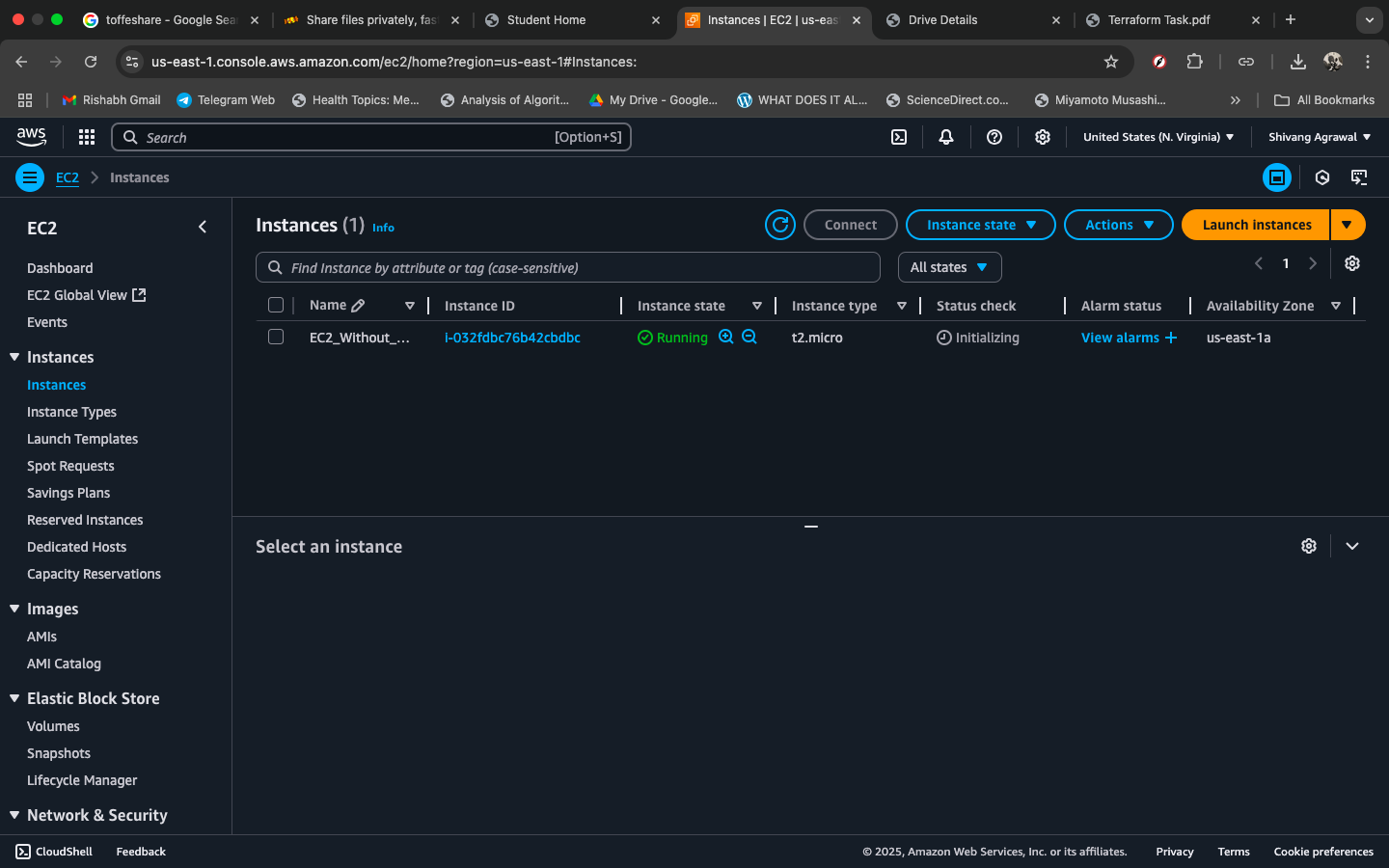
Instance running
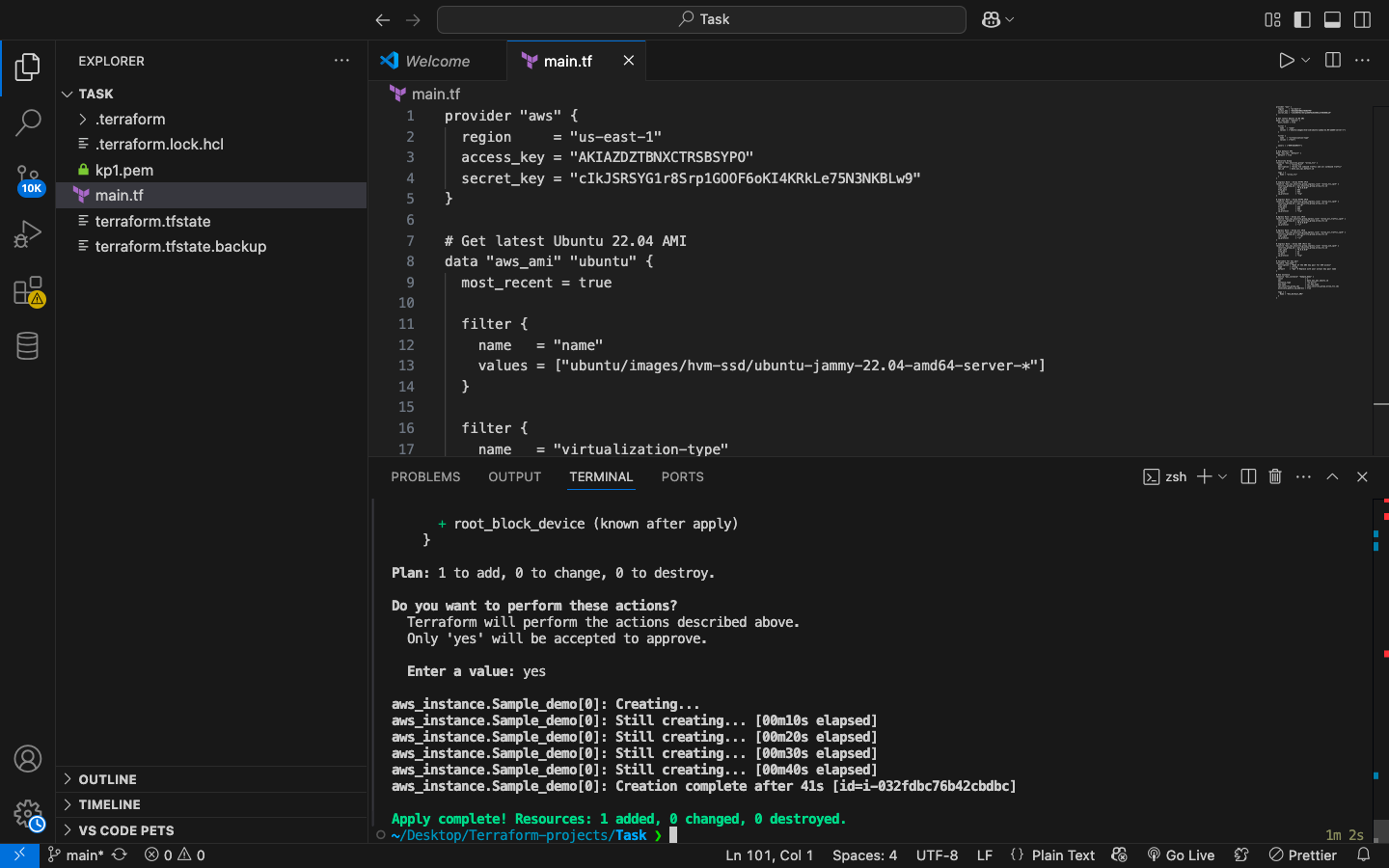
Terraform code
Technical Specifications
Infrastructure Details
- Cloud Provider: Amazon Web Services (AWS)
- Region: us-east-1 (N. Virginia)
- Instance Type: t2.micro (Free Tier Eligible)
- Operating System: Ubuntu 22.04 LTS (Jammy)
- Virtualization: Hardware Virtual Machine (HVM)
- Network: Default VPC with public subnet
Security Configuration
- SSH Access: Port 22 (Public access)
- HTTPS Access: Port 443 (IPv4/IPv6)
- Key Pair: AWS EC2 Key Pair (kp1)
- Security Group: Custom rules for web traffic
- Public IP: Auto-assigned for internet access
- Outbound: All traffic allowed
Deployment Commands
Essential Terraform commands used for this deployment
# Initialize Terraform
terraform init# Plan the deployment
terraform plan -var="key_name=your_key_name"# Apply the configuration
terraform apply -var="key_name=your_key_name"# Connect via SSH
ssh -i your_key.pem ubuntu@[PUBLIC_IP]# Destroy resources (cleanup)
terraform destroy